
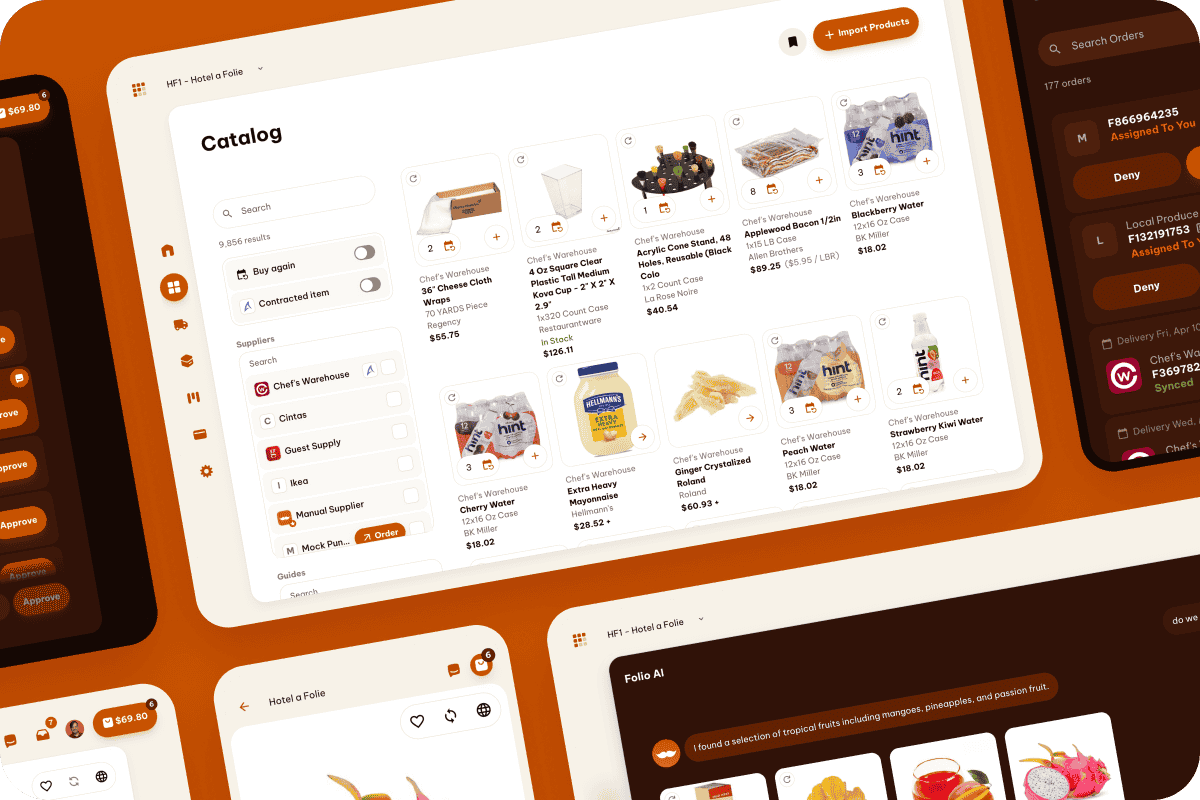
Yesterday, Folio got even cleaner and fresher. You may have noticed the simplified interface and enhanced contrast.
The result? Greater usability.
With streamlined navigation and accessibility enhancements to meet WCAG 2.0 standards, Folio is paving the way for the great new features to come.
For the non-tech nerds, that means Folio is more accessible than ever. If you benefit from higher-contrast settings or are operating in high-glare setting, either outdoors or on a loading dock with the sun reflecting off your screen, you'll appreciate the magic in these updates!
We talk about usability a lot, and we focus on accessibility for a reason: when Folio is more usable, it's even more useful for everyone.
Sweating the details,
Josh
A few more highlights across the Folio suite this week
Buy: Order guides now go full width. The order guide page now uses the full screen, giving you more room to browse.
Inventory: Add items while counting. You can now create new inventory items on the fly during a count. No need to stop what you're doing and go to a separate screen.
Bills: Fix coding on transferred bills. When a bill is moved from property to another, the accounting codes now update correctly.
Pay: Refunds on the timeline. Refunds now appear in the payment timeline alongside regular payments, giving you a complete picture when payments are returned.