


Today, we are pleased to announce Auto-Catalog capabilities, where your hosted catalogs can get auto-populated from invoices.
The result? Hosted catalogs are more automatic and more self-maintaining for easier, more accurate re-ordering. The time savings are immense, so you can get back operating and managing, rather than the more tedious manual processes. For corporate teams, there’s more managed, controlled spend, because there are more complete catalogs with the items properties actually buy.
When we’ve shared this feature with procurement executives, our team has seen quite serious, otherwise composed professionals cover their mouths with their hands, incredulous with shock and glee. We’ve also seen quite the opposite reaction. We’ve seen them jump out of their chairs, across the table, with wide eyes and overwhelming excitement. “You can do WHAT!?” (It’s true. Our sales team has seen it.)
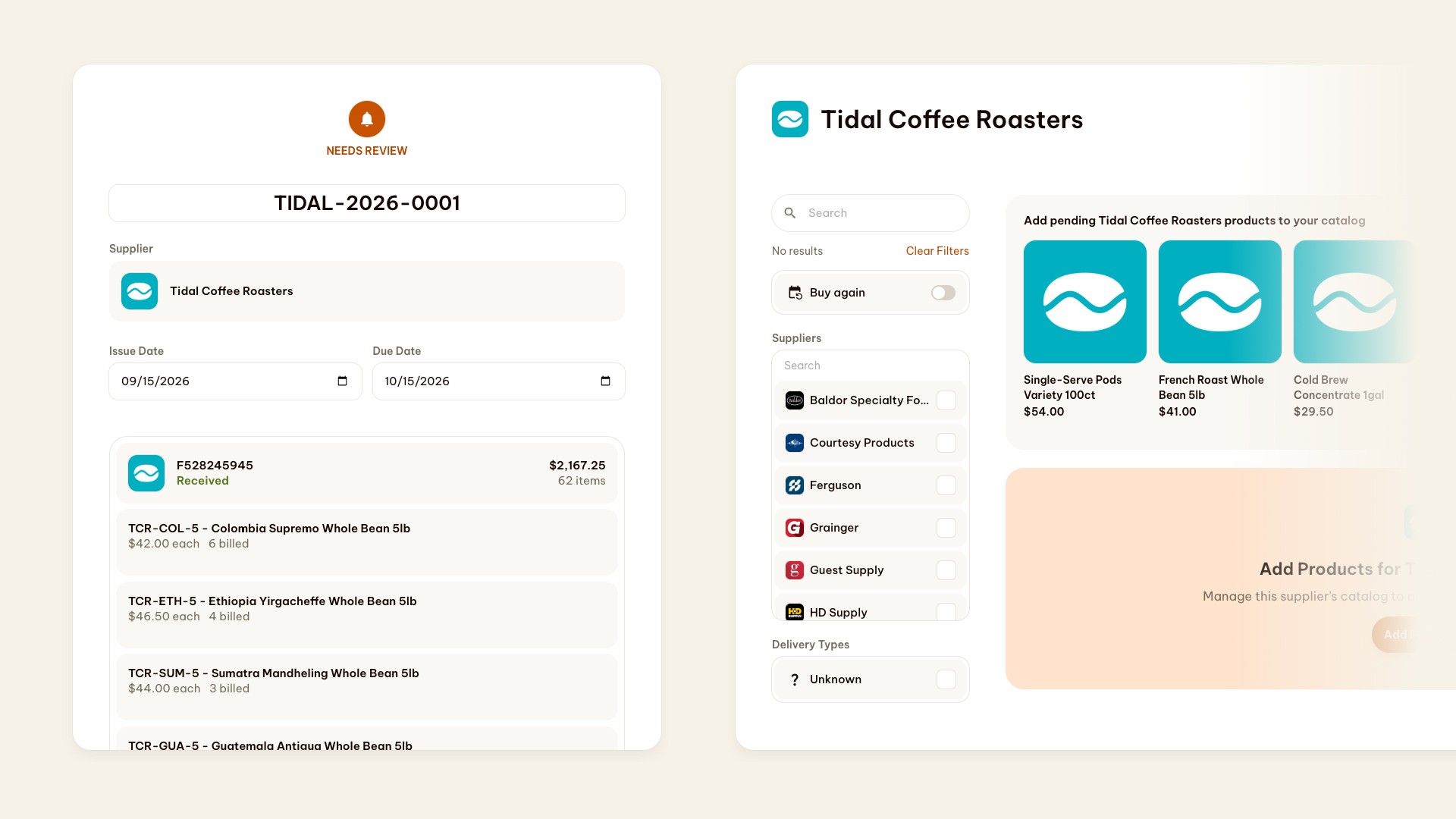
Let us explain how this typically works today, so you can appreciate why this is such a well-received enhancement.
As you likely know, the majority of purchasing on Folio happens through a Lightning Automation, Folio’s best-in-class supplier connections. Folio has about 50 of hospitality’s largest suppliers supported. With our lightning automations, supplier catalogs sync automatically, reflecting the latest products, pricing, inventory levels. (For other procurement systems, these are called “punchout suppliers”.) It’s magic.
However, for the majority of suppliers on Folio (by count), catalogs are not automatic. They are maintained through what’s called a hosted catalog. That means, to import or change the visible catalogs for these suppliers, a human - either a supplier sales rep, a buyer, or an admin for a company - needs to add catalog items to their Folio, one by one.
What does that mean, practically? To maintain many catalogs in Folio and most procurement systems, for a good chunk of suppliers, a person needs to upload catalog files, copy-and-paste URLs or products, and type type type in order to input product descriptions or prices. Rough!
While Folio offers some AI-powered tools to make the process easier and faster in some cases, it still requires manual work. Still, really not great.
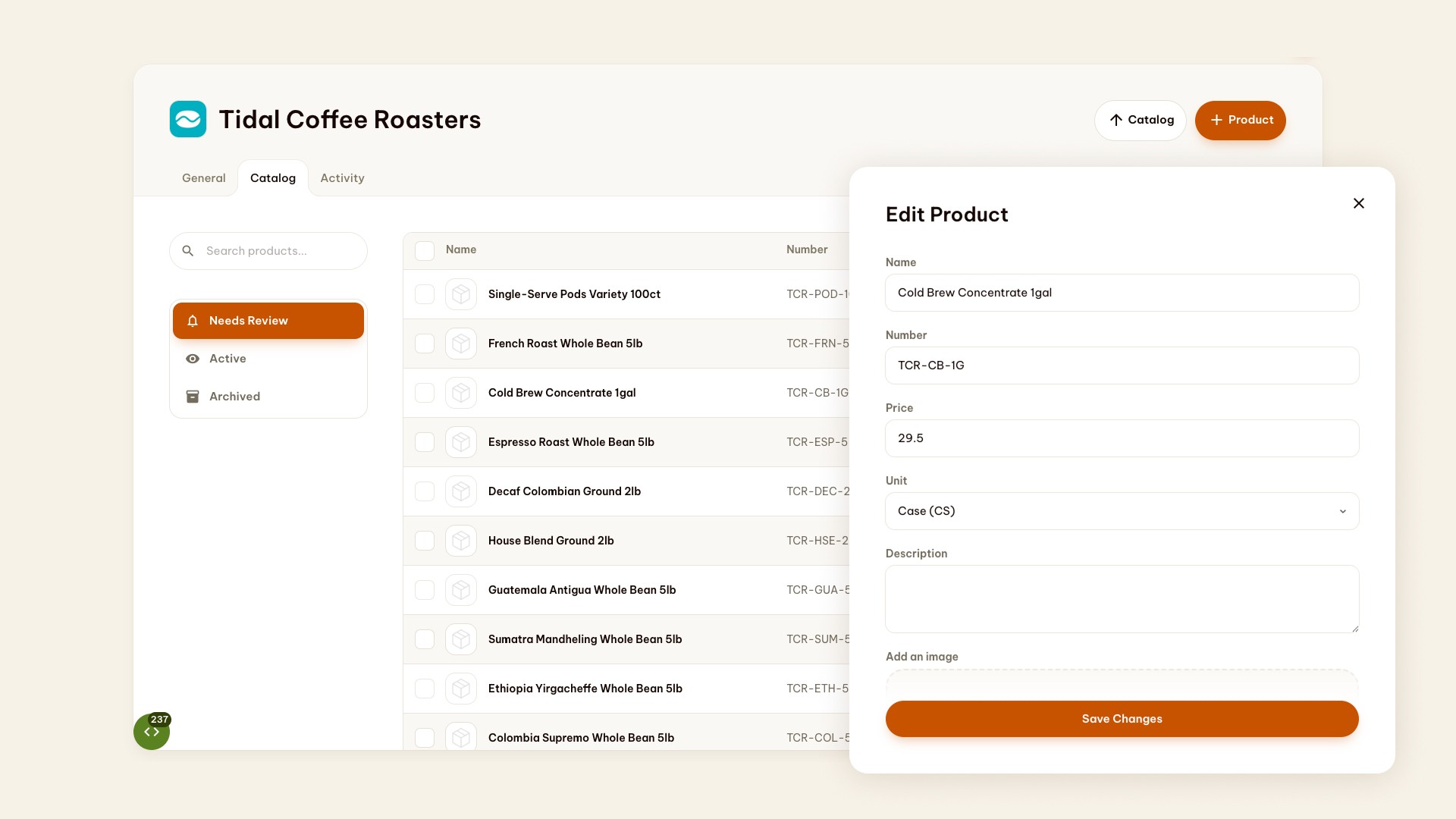
Now, with Auto-Catalog, all that has changed.
Behold: there’s a new Catalog tab, found on your suppliers.
Before items are shown here, Folio checks if a product in an invoice already matches a product in your catalog. If it does not, and the items are not yet in your catalog, those products show up as pending on this new page.
Products here have three stages: pending, active, archived. You can quickly change their state from Pending to Active to add them to your catalog. Once active, they are searchable and usable for easier re-ordering later.
While shopping, when there are pending items for your review, you’ll see a link to be able to Add Products to your catalog. If you can’t find the product you need, check out the list of pending products to easily keep your catalog fresh and complete.